Every screen your academy actually runs on
Fees, exams, attendance, videos, parents. Today they live in a spreadsheet, a WhatsApp group and a stack of paper. Here is each one inside Course37: watch it work, then see the real screens.
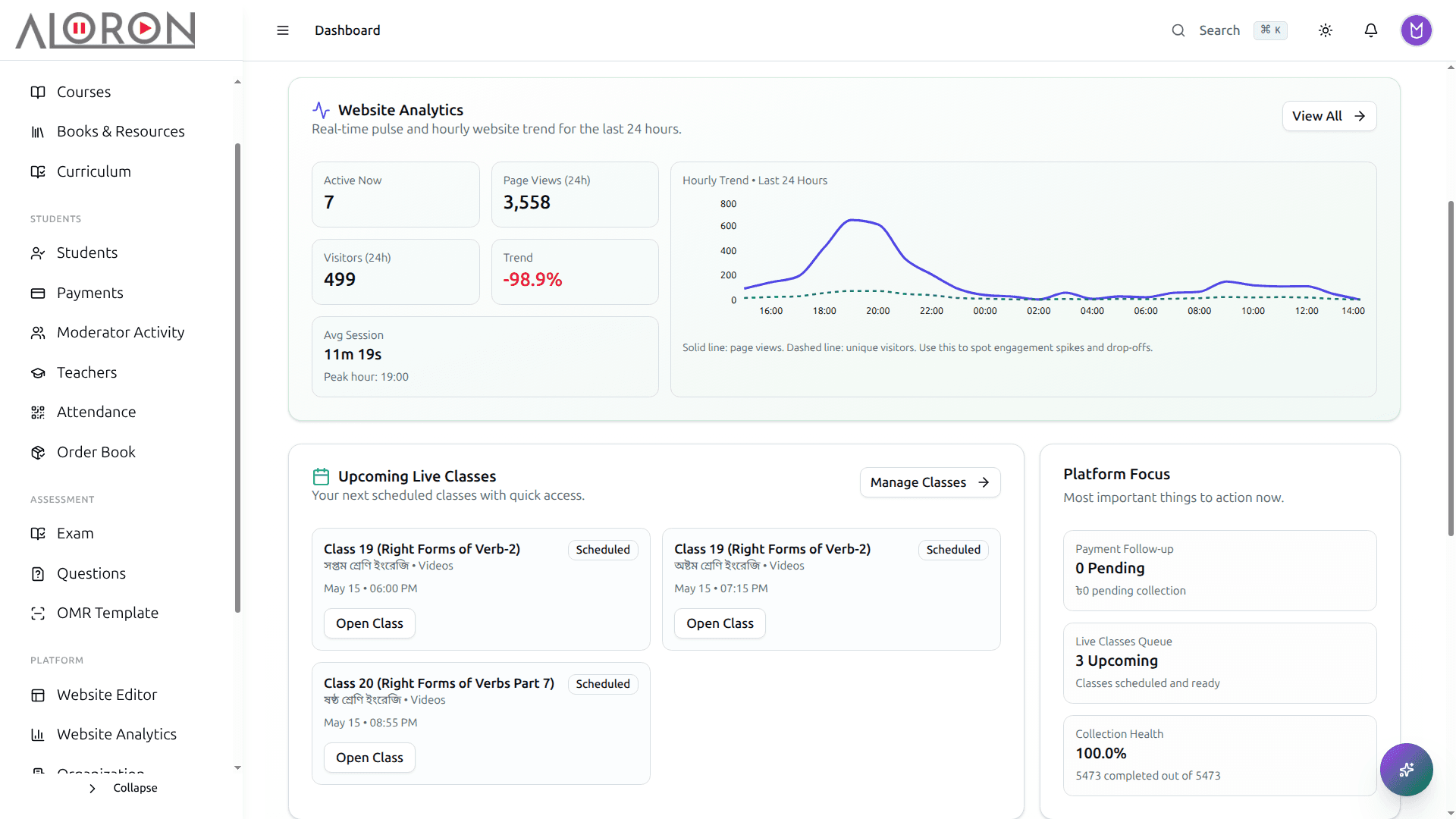
One screen instead of five tabs
Monday morning you check the bank app for fees, a register for attendance, a spreadsheet for who enrolled. The dashboard answers all three before your tea goes cold.
- Live enrollment feed: see who joined today without asking anyone
- Collections summary: money in so far, without opening the bank app
- Exams, live classes and assignment deadlines on one strip
- Quick actions for the tasks you repeat every single morning
How it works
What the dashboard pulls together
- 01Website and admissionsNew sign-ups and enrollments from your site
- 02PaymentsMoney collected today, by bKash, card and cash
- 03Classes and examsToday's live classes and upcoming exams
- 04Follow-upsDues and absences that need a call
- 05One screenAll of it waiting for you when you log in
See it in the app
A website you can change yourself
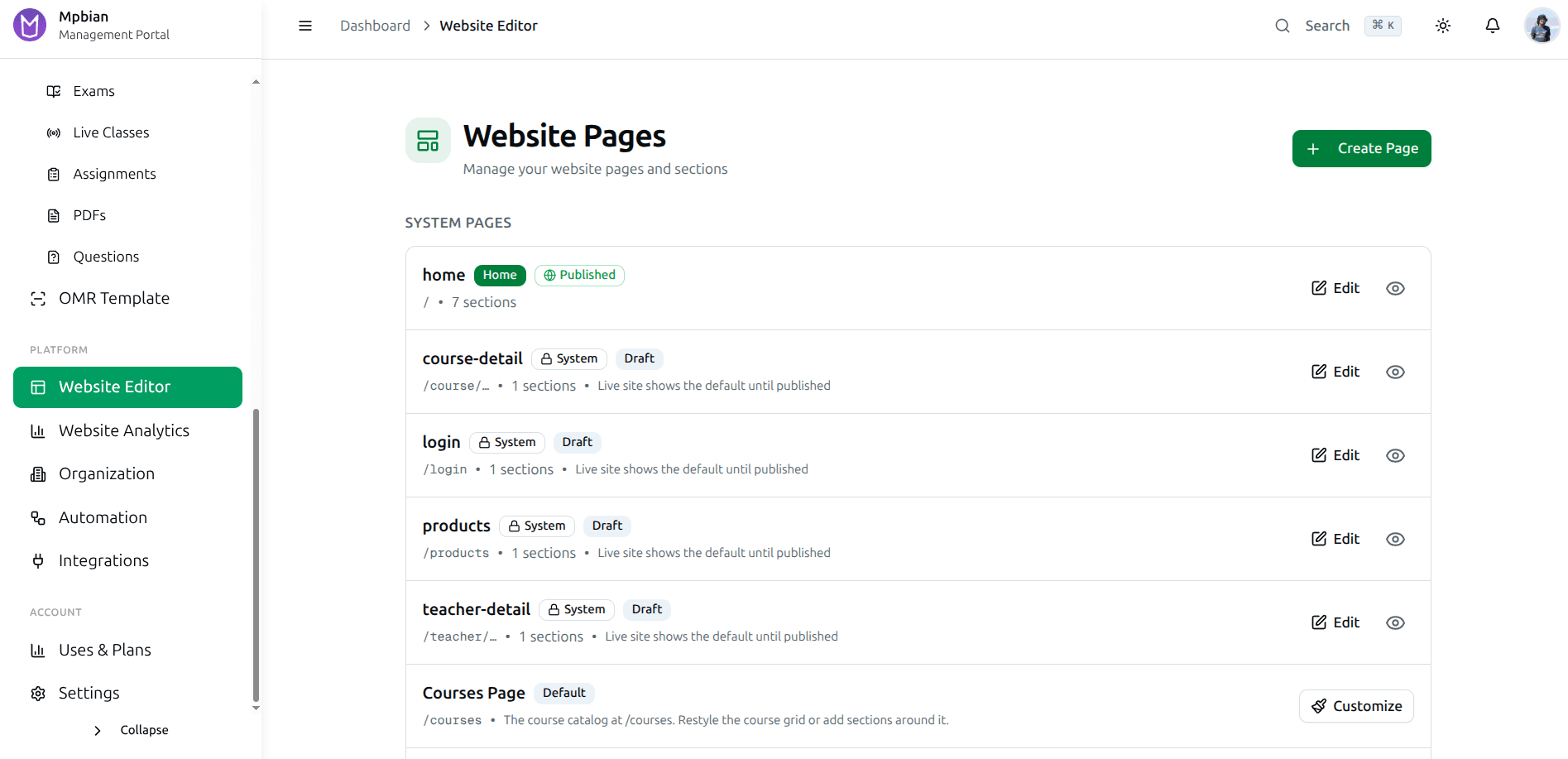
The person who built your site stopped replying. Changing one batch fee costs you a message and a three day wait. Edit the page, see it change, publish when you are ready.
- Drag and drop sections: change the site without touching code
- Custom domain, or a free yourname.course37.com subdomain on day one
- AI-assisted editing for when the wording will not come
- Multi-language pages for students who do not read English
- SEO settings, meta tags and Open Graph built into every page
How it works
From idea to live website
- 01Pick a templateStart from a ready design for your kind of institute
- 02Edit sectionsMove sections, change text, images and colours
- 03Add coursesCourse cards pull price and details from your courses
- 04PublishLive on a course37 subdomain or your own domain
- 05Students enrollSign-ups land straight in your student list
See it in the app
Where the course actually lives
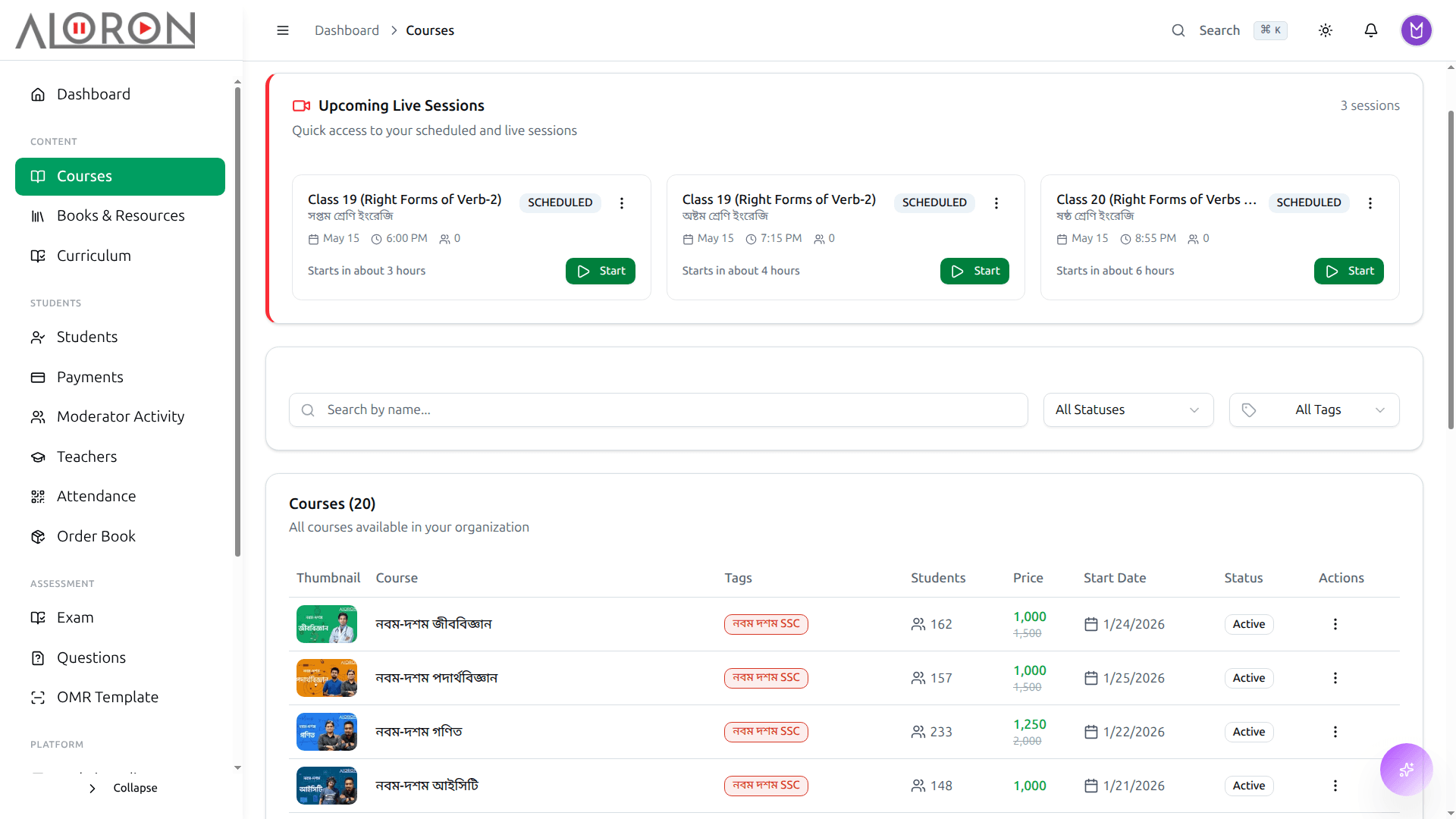
Today a course is a Drive folder, an unlisted video link, and a fee list in someone’s head. Build the syllabus once, then decide exactly who is allowed to open it.
- Subjects, chapters, lessons: one syllabus a student can follow
- CDN video delivery so a student on mobile data is not buffering
- Multi-branch and multi-batch enrollment from one catalog
- Installments that suspend access on their own when payment stops
- Access control per course and per lesson: paid content stays paid
How it works
How a course is put together
- 01CurriculumGroup, subject, chapter and topic, shared by every course
- 02CoursePrice, installments, batches and teachers
- 03ContentVideos, PDFs, live classes and exams per chapter
- 04AccessOnly enrolled, paid students can open it
- 05ProgressSee who watched what and who fell behind
See it in the app
The link stops living in a WhatsApp group
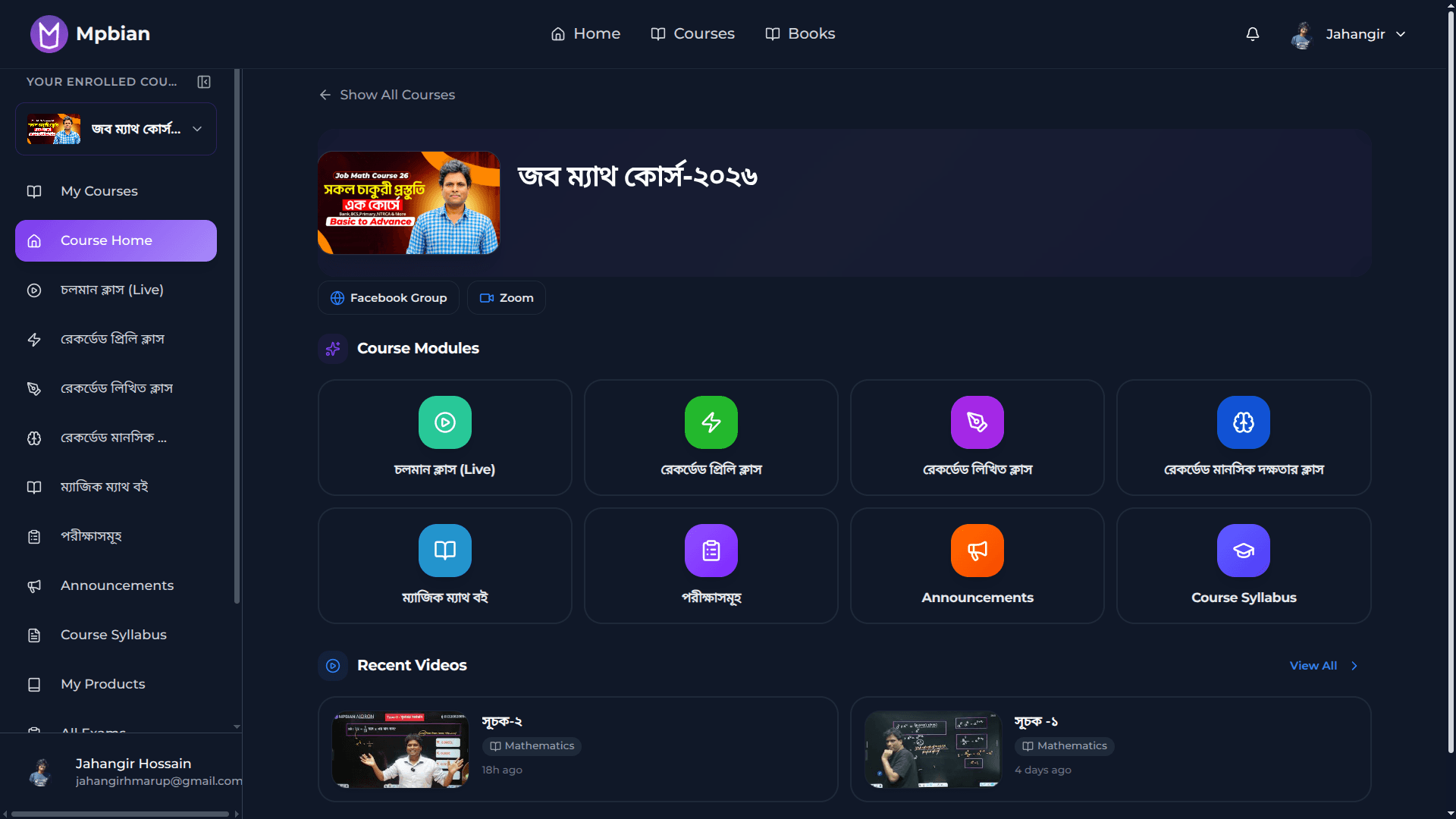
You paste the class link, then answer "link please" eleven times, then upload the recording somewhere and forget where. Schedule the session here and it lands in the student dashboard, recording included.
- Zoom and Google Meet connected: schedule once, students get the link
- Attendance taken from the session itself, not a separate register
- Chat, polls and Q&A, so you know who is still with you
- Auto-recording, filed under the right class, ready when class ends
- Screen sharing for slides, past papers and solved sums
How it works
A live class, start to finish
- 01ScheduleSet the class for a batch and students get a reminder
- 02Go liveStart from the dashboard, no Zoom link to share
- 03Students joinAttendance is marked as they join
- 04TeachWhiteboard, chat and polls in the same window
- 05RecordingSaved under the chapter for anyone who missed it
See it in the app
Grading that does not eat your night
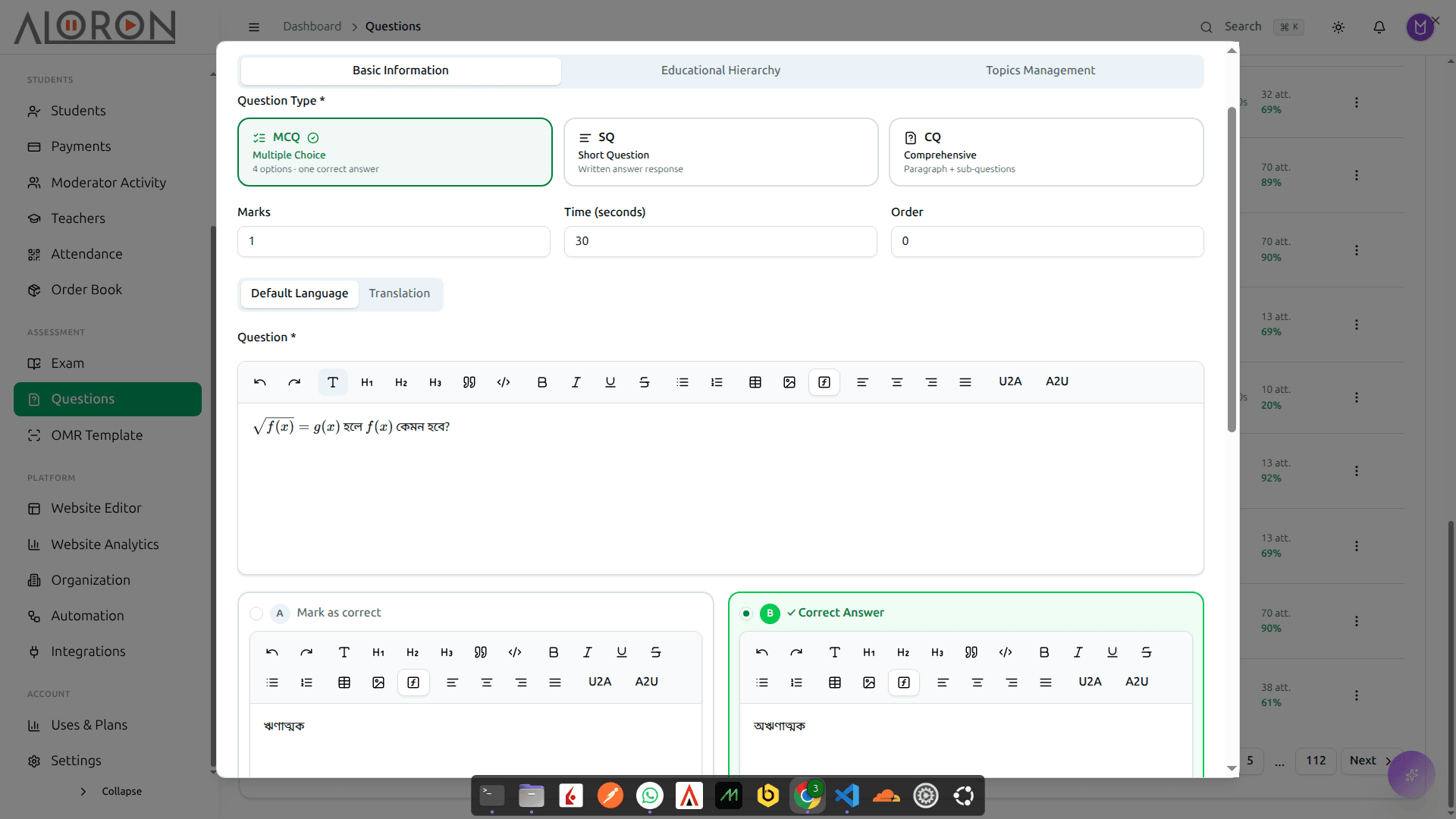
The scripts are on the desk, the red pen is out, and tomorrow you will type the merit list into a spreadsheet. Write questions once, run the exam, publish results the same evening.
- MCQ, CQ and SQ question types in the same paper
- AI drafts questions from your chapter via Anthropic, Gemini or Groq
- LaTeX editor with live preview: equations that print correctly
- Timed online exams with tab-switching detection on the record
- Randomized A/B/C/D sets generated from one question set
- Merit list, rank and per-question analytics without a spreadsheet
How it works
From question bank to result
- 01Question bankWrite questions, or generate them with AI
- 02Build the examPick questions, make shuffled sets, set a timer
- 03Students sit itOnline with tab-switch checks, or on paper
- 04MarkingMCQ marked instantly, written answers with AI help
- 05ResultsRank, merit list and analytics, sent to guardians
See it in the app
The scanner grades the sheets, not you
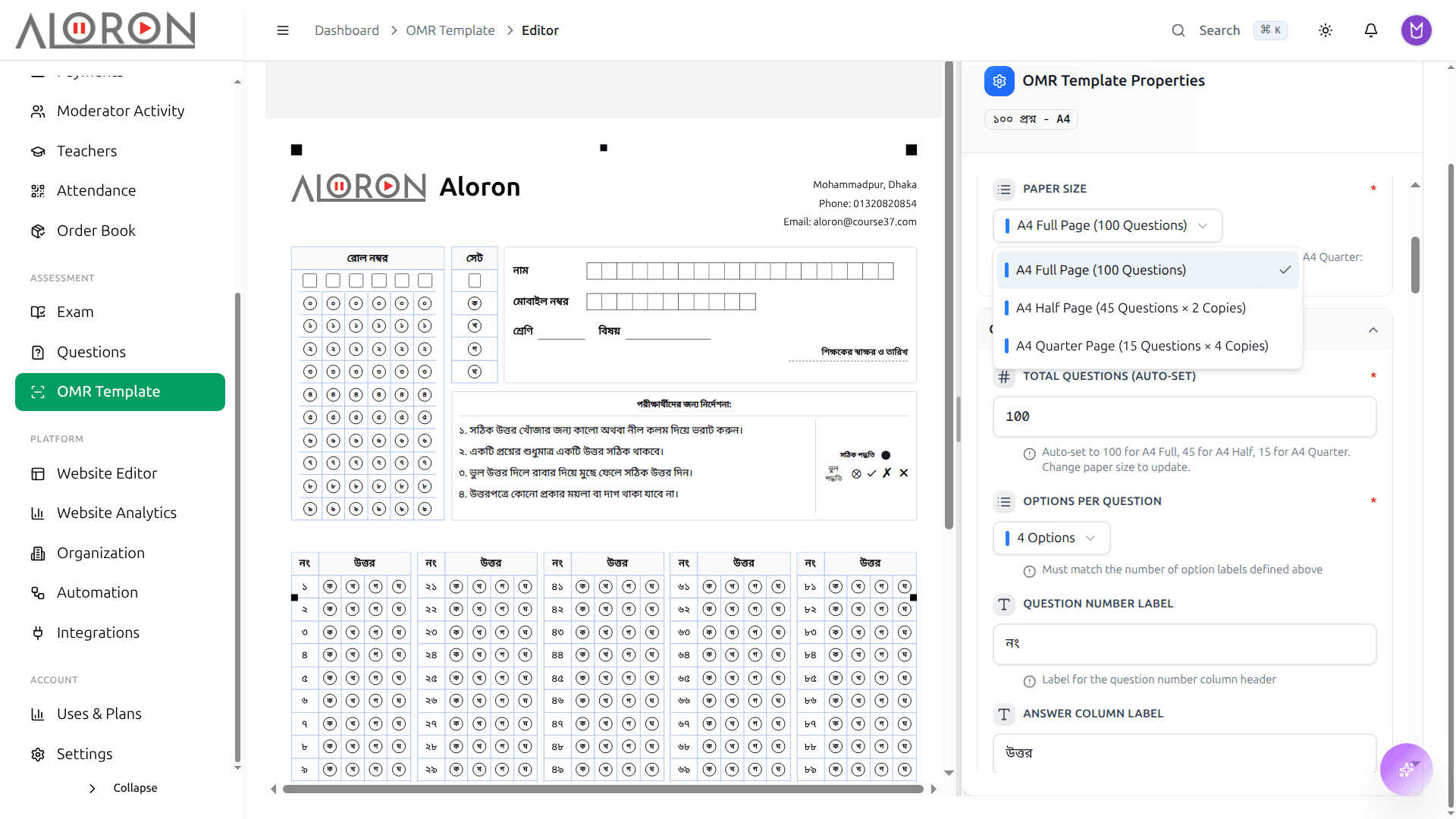
Paper exams still end in a stack of answer sheets and an evening of ticking boxes. Design the OMR sheet, print it on plain paper, scan the filled copies, read the merit list.
- Design any question count in any language: no pre-printed sheets
- Export to PDF and print on regular paper from the office printer
- Scan with the scanner you already have: no special hardware to buy
- Grades multi-set A/B/C/D sheets in one pass, each set keyed separately
- Skewed, crumpled and low-quality scans still read correctly
- Merit list generated the moment the last sheet goes through
How it works
How OMR checking works
- 01Design the sheetYour logo, 50 or 100 questions, any language
- 02Print and fillStudents fill the bubbles with a pen in class
- 03Scan the pileAny office scanner, all sheets in one go
- 04Read and markRoll, set and every answer are read and scored
- 05Merit listRanked results, and guardians get an SMS
See it in the app
An answer when the parent calls
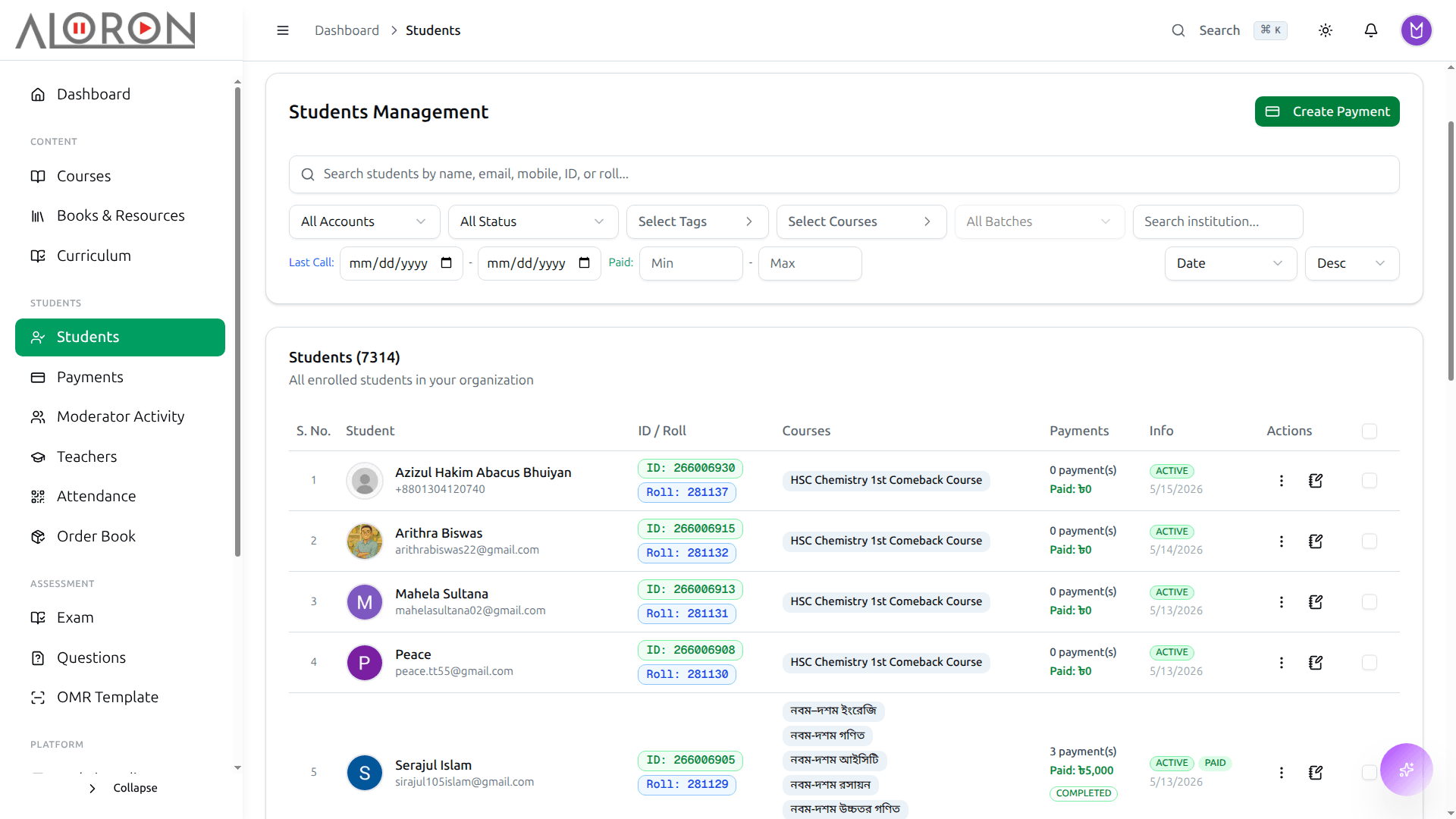
A father asks how his daughter is doing. Attendance is in a register, marks are in a notebook, payments are in a spreadsheet, so you promise to call back. One profile holds all three.
- Searchable roster with bulk actions across a whole batch
- One profile per student: enrollments, attendance, marks, payments
- Exam history with rank and percentile tracked across the term
- Attendance recorded for live classes and recorded lessons alike
- Printable result cards carrying your own branding
How it works
One record for every student
- 01AdmissionForm, photo, guardian number and batch
- 02FeesEvery installment, receipt and due date
- 03AttendanceEvery class and every gate punch
- 04ExamsEvery score, rank and answer sheet
- 05One profileAll of it on one page, with an ID card to print
See it in the app
The class starts without the roll call
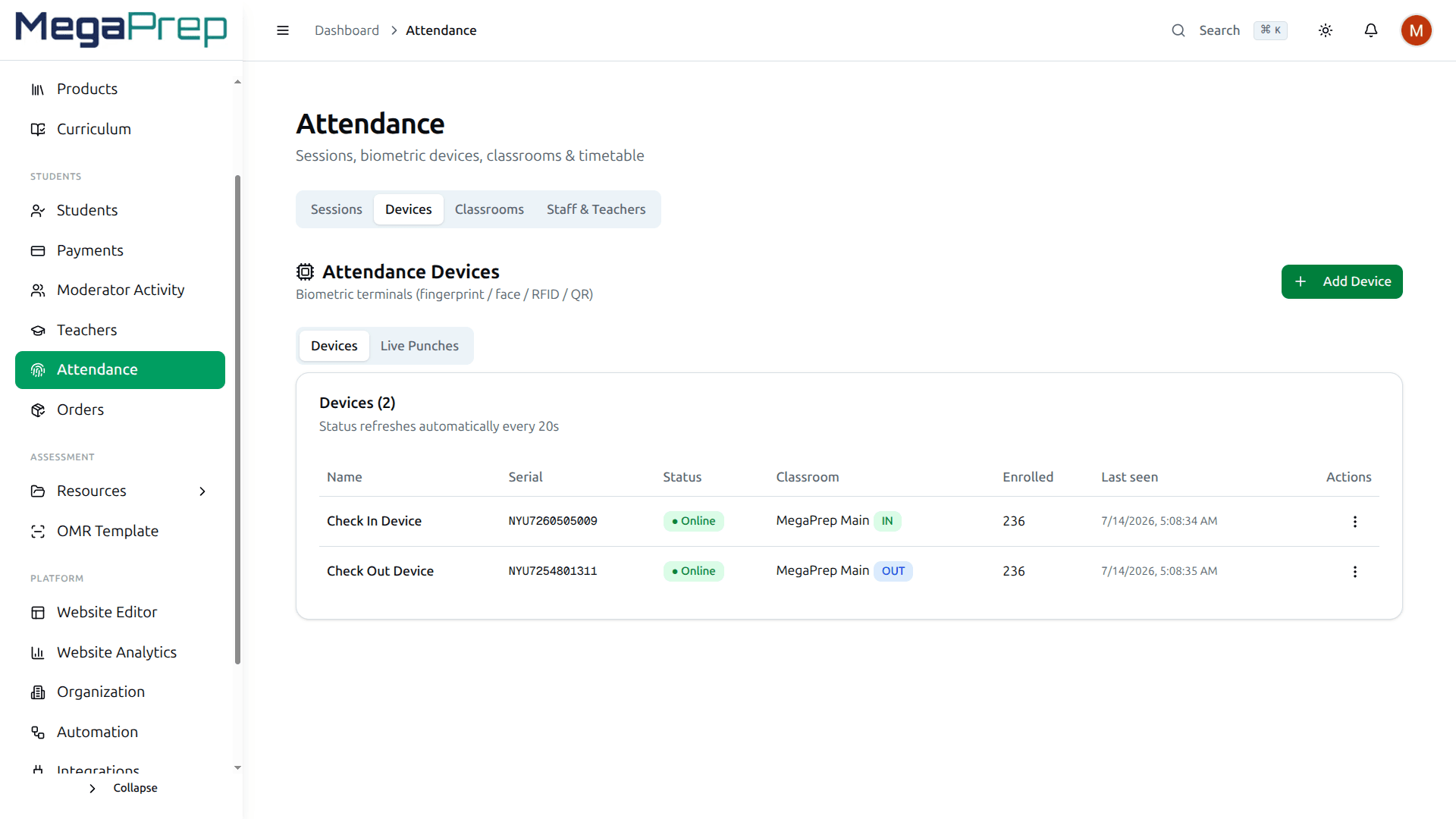
Ten minutes of every class goes to reading out names, and the register still says a boy was present when he was not. Put a device on the door. The scan is the record, and it is in the system before the teacher reaches the board.
- ZKTeco devices register by serial number and push every scan in real time
- Fingerprint, face, RFID card, password or QR, whatever the unit supports
- One device per classroom, or pair two at a gate so one reads entry and one reads exit
- Present or late decided against the class schedule, with a grace period you set
- Students, teachers and office staff enrolled on the same hardware
- A student cannot sign in for the friend who did not come
How it works
How attendance is taken
- 01Enroll fingerprintsOnce per student, on the device
- 02Punch at the doorThe device sends each punch as it happens
- 03Matched to the classThe system knows which batch is in session
- 04Absent alertGuardians of absent students get an SMS
- 05ReportsA monthly calendar and rate for every student
See it in the app
The installment nobody chased
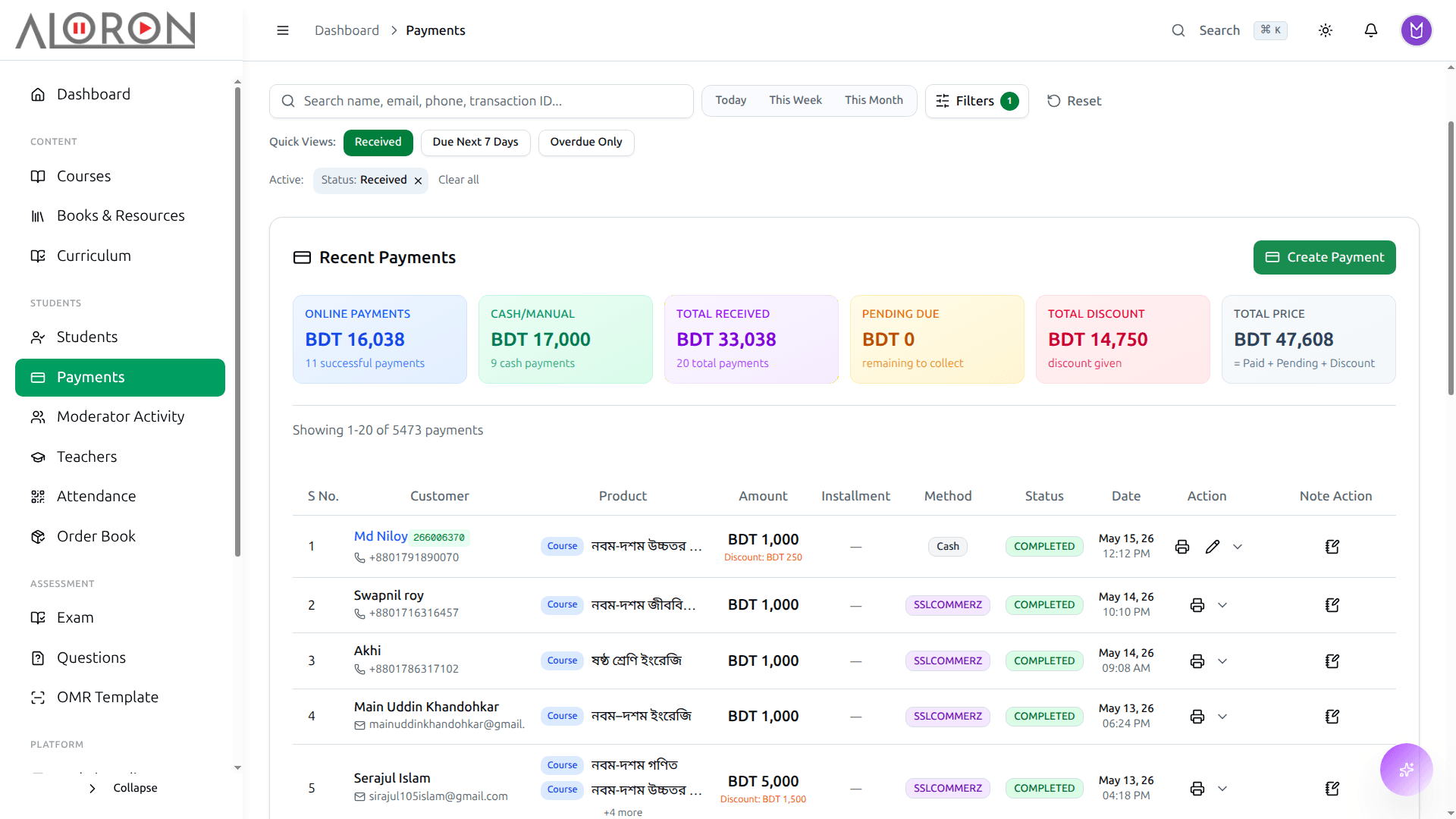
Friday goes to a spreadsheet: who paid, who paid half, who promised last month and vanished. Payments record themselves as they land, and the ones that did not land get flagged.
- bKash, Nagad and Rocket through SSLCommerz, plus Stripe cards, in one ledger
- Installment plans that suspend access automatically when payment stops
- Branded receipts emailed on payment, so nobody has to ask
- Teacher and branch profit shares calculated, not estimated
- Overdue list you can act on: who owes, how much, since when
How it works
How a fee is collected
- 01Set the feeFull price or installments, per course or batch
- 02Student paysbKash, card or SSLCommerz online, or cash at the desk
- 03RecordedReceipt sent and due updated, no typing
- 04RemindersDue installments get an SMS before the date
- 05ReportsCollected, pending and overdue for every batch
See it in the app
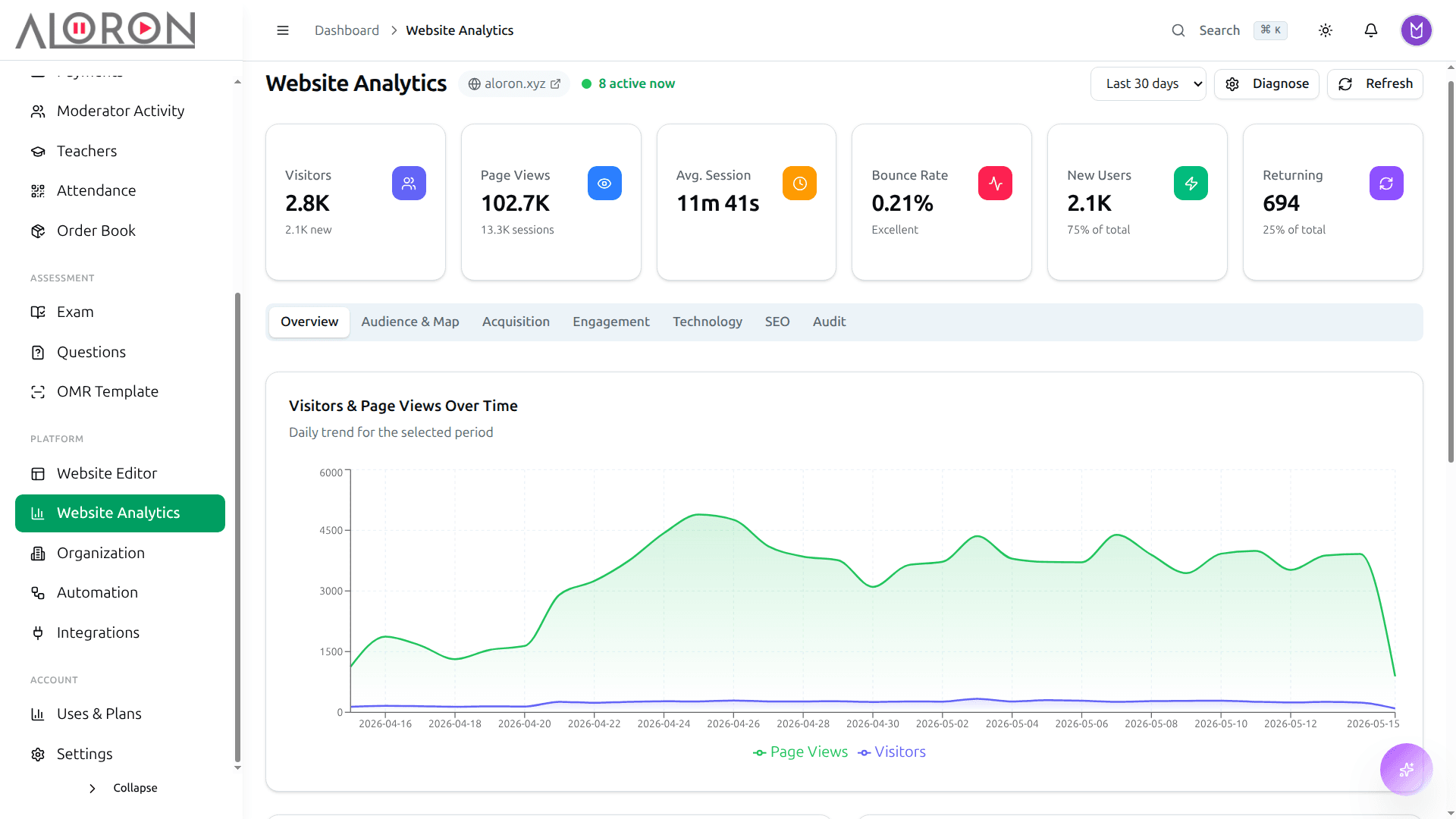
Know which ad brought the student who paid
You spend on boosts and banners and cannot say which one filled the batch. Traffic, search rankings, enrollments and payments sit in one view, so you can stop paying for what does not work.
- Google Analytics and Tag Manager connected without a developer
- Search Console rankings for the pages parents actually find
- Traffic broken down by source, device and location
- Enrollment funnel: see where prospects quit before they pay
- Revenue trends per gateway and per course
How it works
What the numbers tell you
- 01VisitorsWho comes to your site, and from where
- 02PagesWhich course pages people actually read
- 03EnrollmentsWhich visits turn into admissions
- 04RevenueIncome and dues over time
- 05DecideWhere to spend on ads, which batch to open next
See it in the app
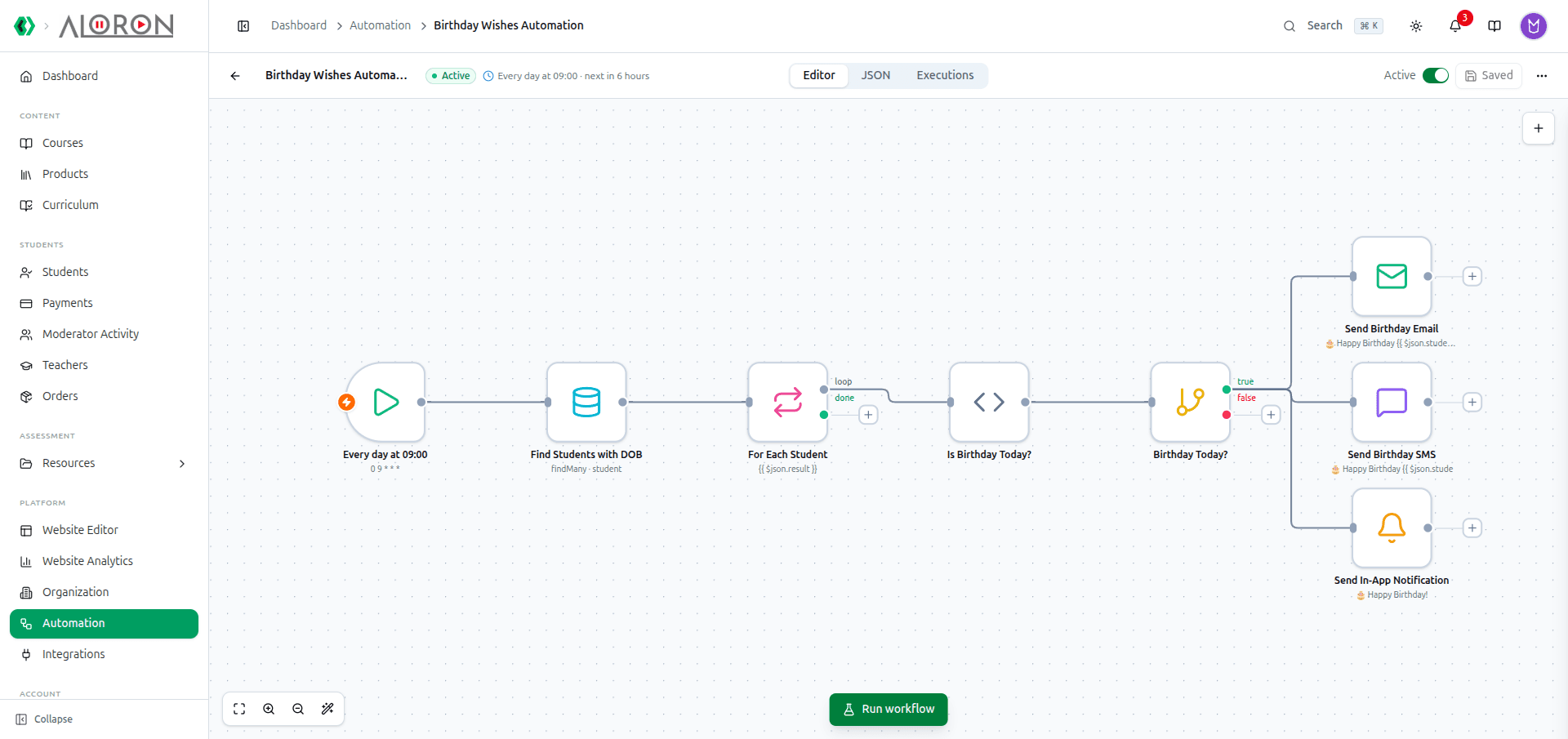
The reminders you keep forgetting to send
Fee reminders go out when somebody remembers. Class reminders never go out at all. Build the flow once and it runs whether or not anyone is at the desk.
- Overdue fee alerts by SMS and email, sent without you
- Birthday messages that go out on the day, every year
- Emails framed in your logo and colours, SMS parts counted before sending
- In-app notifications that also reach the phone as a push
- Edit any flow as JSON, or let an AI rewrite it from a plain request
How it works
How an automation runs
- 01TriggerSomething happens: a payment, an absence, a due date
- 02ConditionCheck a rule: unpaid? lesson not watched?
- 03WaitPause for hours or days if you need to
- 04ActionSend an SMS or email, enroll, alert staff
- 05LogEvery run is recorded, so you see what went out
See it in the app
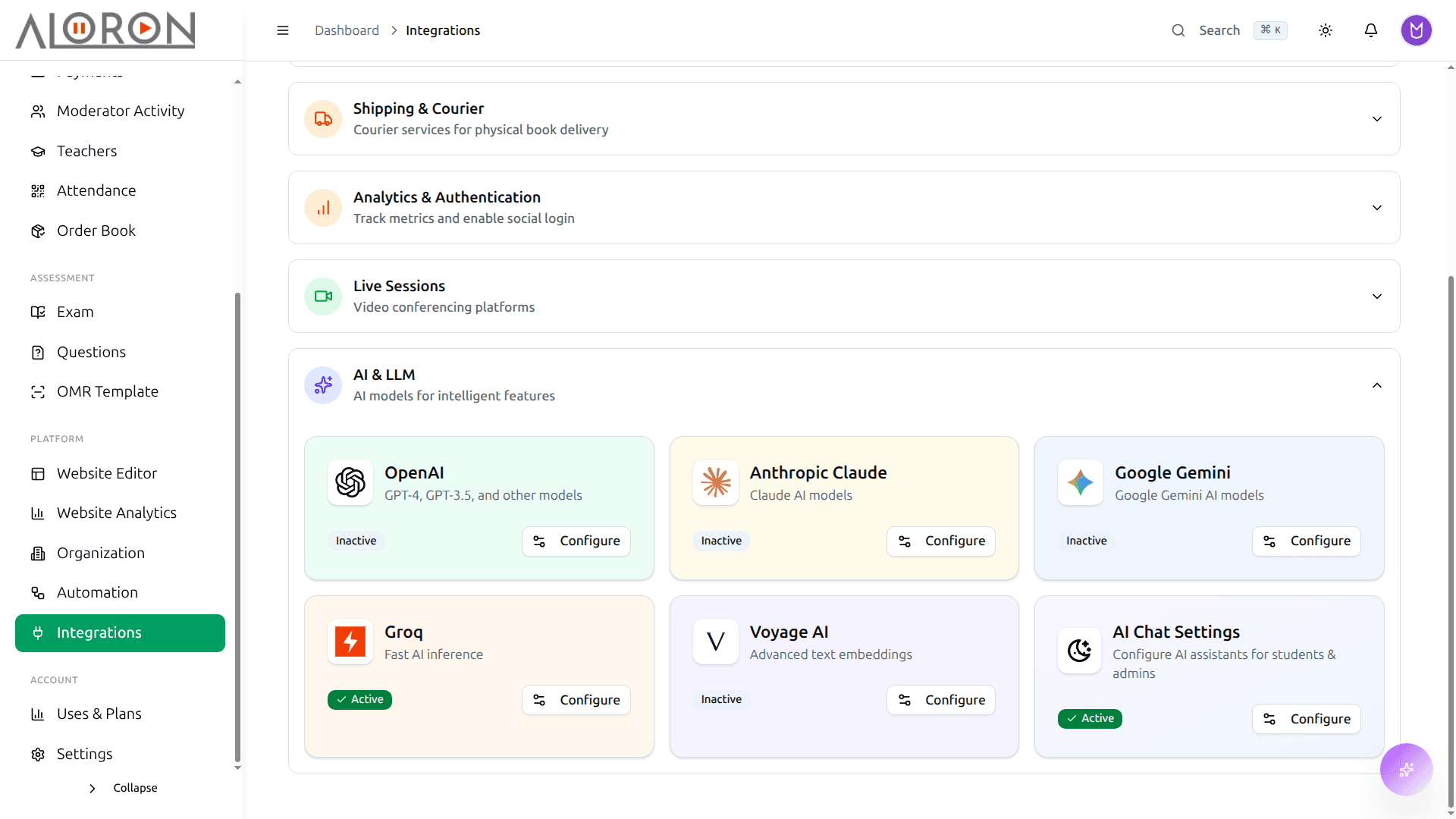
It talks to the tools you already pay for
Nobody wants to abandon the payment gateway, the SMS provider and the meeting tool they already use. Connect them from one screen: paste the key, test it, go live.
- Payments: SSLCommerz for bKash, Nagad, Rocket and cards, plus Stripe
- Communication: Email SMTP, BulkSMS, Firebase FCM
- AI: Anthropic Claude, OpenAI, Google Gemini, Groq
- Analytics: Google Analytics, GTM, Search Console, Meta Pixel
- Live sessions: Zoom, Google Meet
- Courier: Steadfast, for the books you ship
How it works
How an integration connects
- 01Pick a servicebKash, SSLCommerz, SMS, Zoom and more
- 02Add your keysYour own account details, stored encrypted
- 03Test itSend a test SMS or make a test payment
- 04Switch onCheckout, reminders and classes start using it
- 05Your accountsMoney and messages go through your own accounts
See it in the app
The front desk should not see next week’s paper
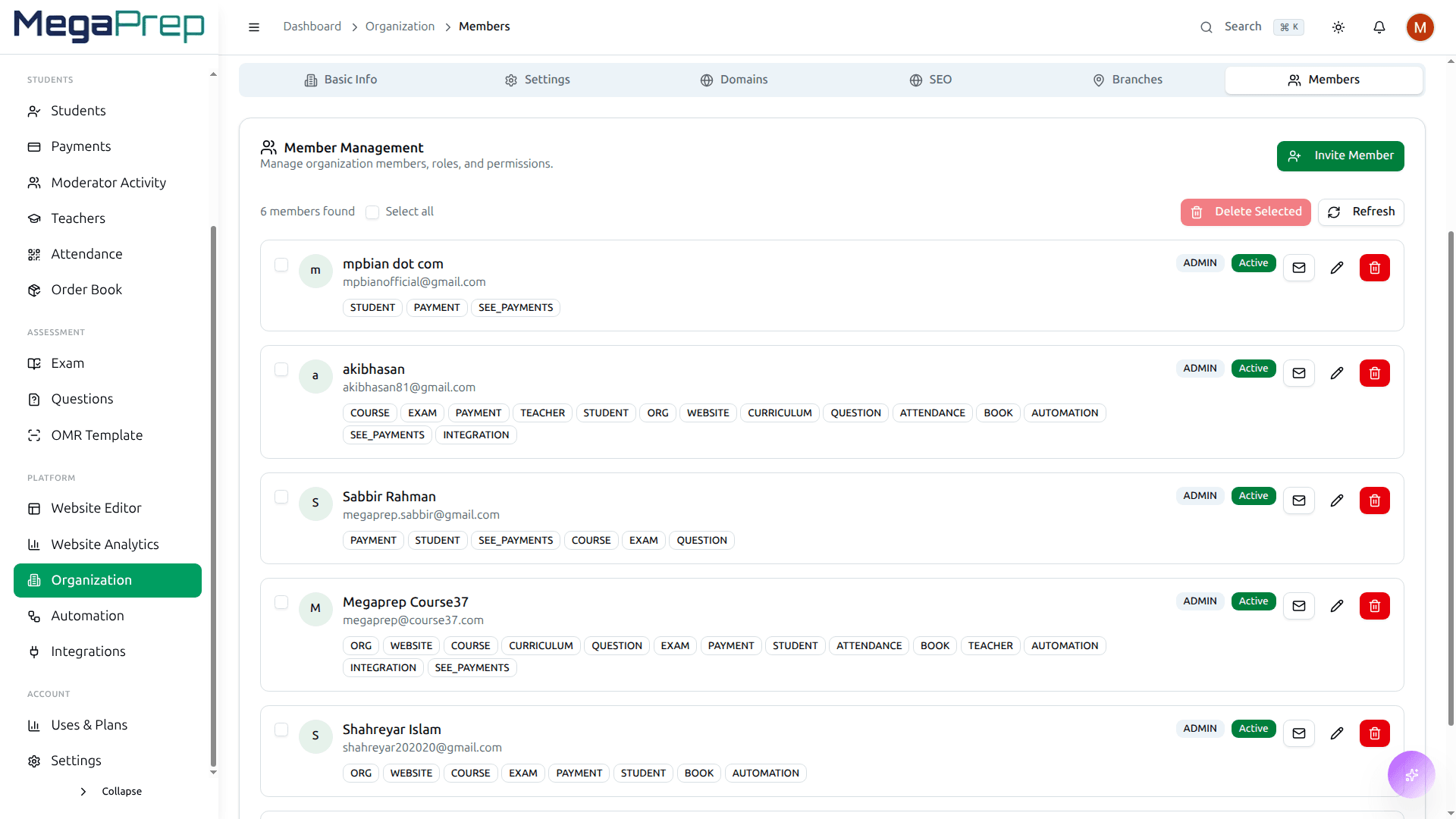
Everyone works from the owner’s login because making a second one was never worth the trouble. Give each person a role that reaches only what their job needs, and keep a record of what they did.
- Built-in roles: Admin, Teacher, Moderator, Support
- Custom roles from any combination of permissions you choose
- Per-module access: courses, payments, exams, students
- Branch-scoped access, so a branch manager sees only their branch
- Moderator collections tracked: every payment shows who took it
How it works
Who can see what
- 01OwnerFull control, and the only one who can delete
- 02RolesAdmin, teacher, moderator, or make your own
- 03PermissionsTick what each role can see and change
- 04Staff loginsEvery person gets their own account
- 05Activity logEvery action is recorded with a name
See it in the app
Hand the admin work to your own AI agent
Connect any MCP-compatible agent and it does what an admin does: record a payment, schedule a class, pull a merit list. It signs in with OAuth2 and reaches only the scopes you grant.
- Add videos to modules, schedule live classes, edit courses
- Record payments, add installments, ask who still owes fees
- Query exams, results, merit lists and the question bank
- Profit share: shares, expenses, withdrawals and calculations
- Student analytics and website visit analytics on request
- OAuth2 client-credentials: the agent never holds a password
- Every tool gated by a scope you granted explicitly
- Organization-scoped, and revocable the moment you change your mind
How it works
How an AI agent works with Course37
- 01ConnectAdd the MCP server to Claude or another agent
- 02Grant scopesChoose what it may read and what it may do
- 03Ask"Who owes fees this month?"
- 04Tools runThe agent calls Course37 tools within your scopes
- 05Answer or actIt replies with real data, or sends the reminder
See it in the app
See it on your own academy
Tell us how you run batches, fees and exams today. We will show you the parts of Course37 that replace it, and the parts you can ignore.