OMR software that works with your office scanner.
No OMR machine needed. Scan a stack of answer sheets, and Course37 reads each one, marks it against your answer key and builds the merit list. Sheets it is unsure about wait for you instead of being published.
No card needed. Your data stays even if the trial ends.
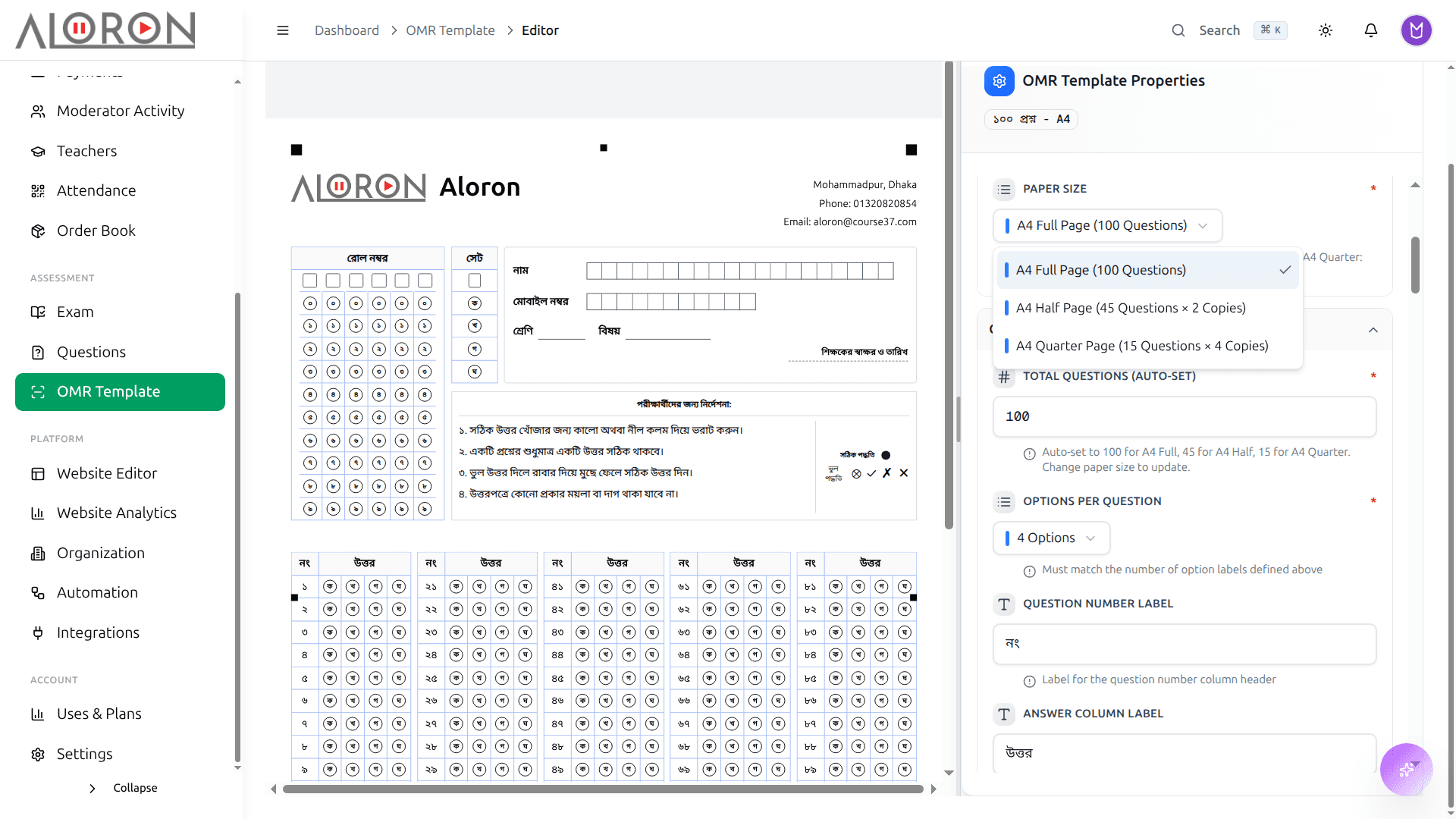
Your own OMR sheet
Set up the sheet you use: how many questions, which sets, how many roll digits. Print it and hand it out.
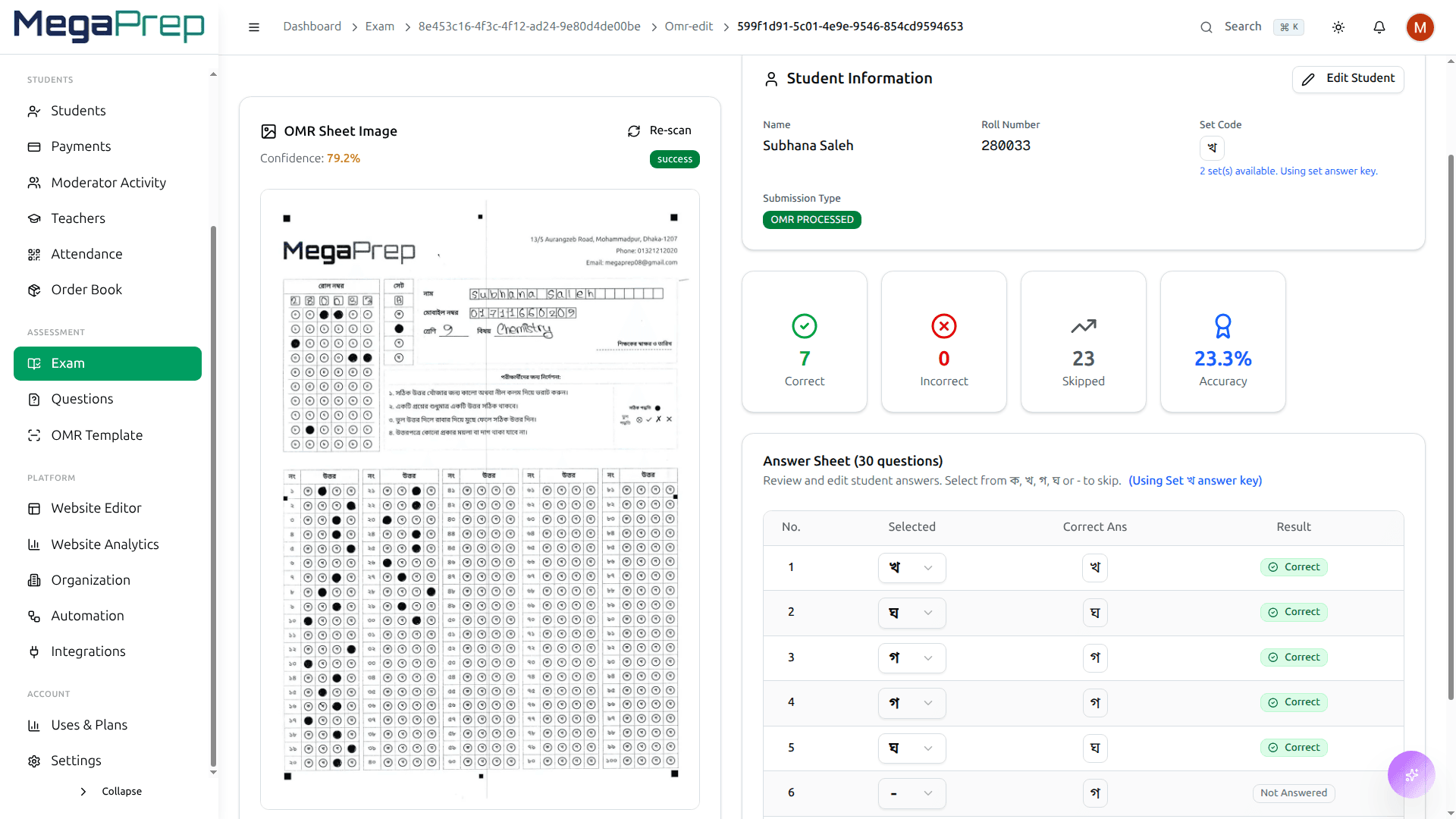
Scan in batches
Feed the sheets through an office scanner and upload the scans together. Roll, set and answers are read from every sheet.
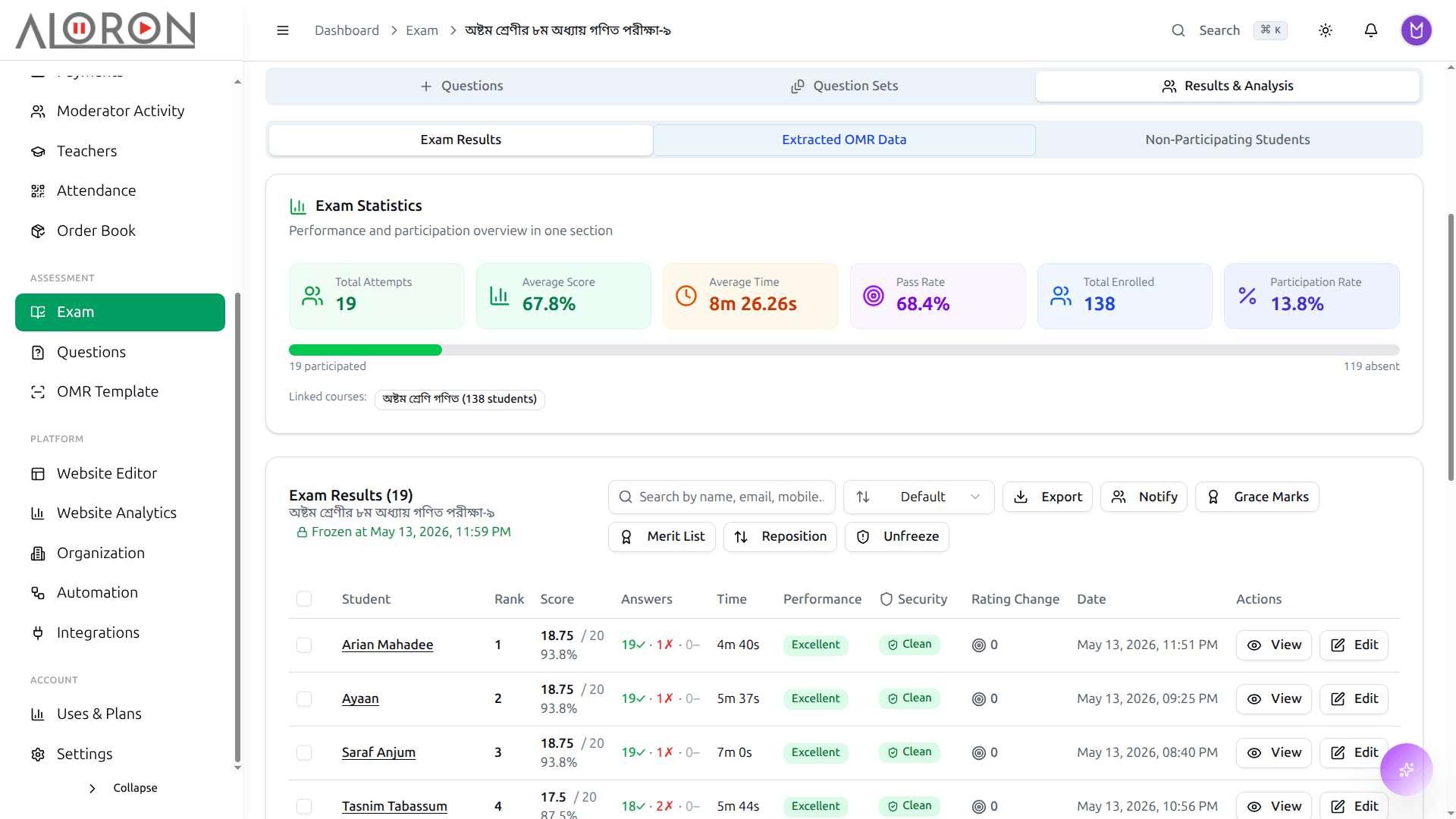
Results and merit list
Marks, rank and per-question analysis appear as soon as the batch is processed. Export the merit list, or send each guardian the result by SMS.
Held for review when unsure
Tilted scans are straightened. A sheet with an unclear roll, or one that looks wrong, is held for you to check instead of going into the results.
Fix a roll number later
If a student wrote the wrong roll, correct it and the result moves to the right student.
How to start
Set up your OMR sheet and answer key
Hold the exam on paper
Scan the sheets and upload them
Check any held sheets, then publish the merit list
What people ask us
Do I need an OMR machine?
No. An ordinary office scanner is enough.
What happens when a sheet cannot be read clearly?
It is held for review instead of being marked automatically. That covers things like a smudged roll number or the same option filled on every question. You check it, fix it if needed and then publish.
Does it handle more than one question set?
Yes. The set is read from the sheet and each set is marked against its own answer key.
Can students see their result online?
Yes. Results appear in each student’s dashboard, and guardians can get them by SMS.
Can I run online exams too?
Yes. Course37 also runs MCQ and written exams online from the same question bank.
One system, every part of the job
Try it with your own students.
Fourteen days free. Set it up yourself, or message us and we set it up with you.